The Big Picture
Planning Your Year - The Big Picture
One of the sections we are very excited about in the Simply Homeschool Panner is yearly planning in The Big Picture.
Unsure how to use this section? Here are some instructions and examples - we would love to see what yours look like too!
There are 6 big picture layouts. So you can use these to plan for your whole family or for individual children or both.
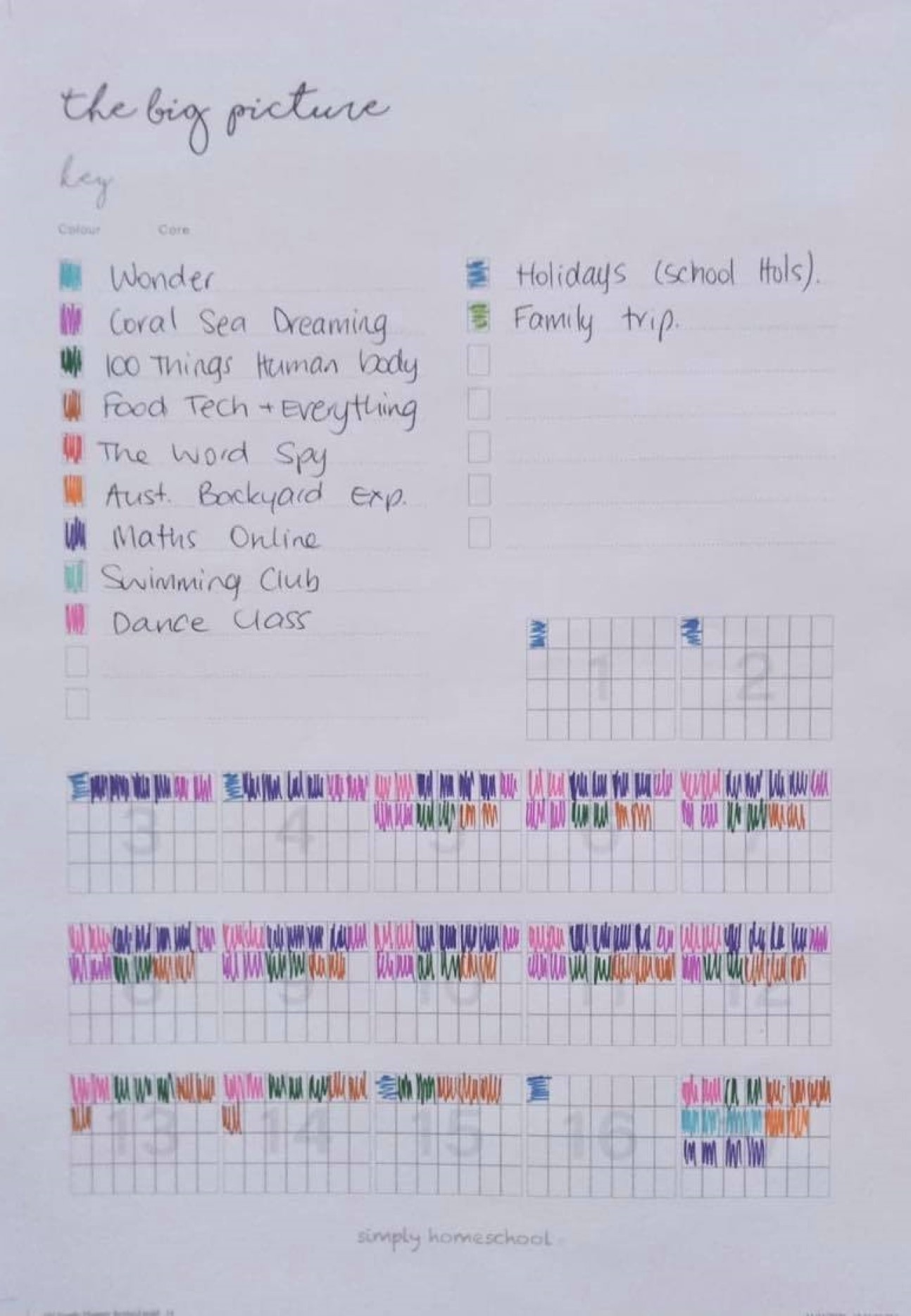
Boxes are numbered 1-52 – for 52 weeks of the year - these link to the weekly pages that are numbered.
HOWEVER - The boxes in the big picture planner are designed to be multipurpose and super flexible. You need to decide a few things before you get started.
How will it work for you?
The big picture could be used to plan ahead OR record what you have done. If you find planning too far ahead daunting, just do small blocks at a time. A term, a 5-week block, whatever works. If you aren’t really into planning things out, why not use the boxes to record what you have done as the week passes?
Start with holidays
- Do you homeschool according to school terms? If so, find out your school term dates block those weeks out as school holidays in the grids.
- Do you have your holidays at set times of the year? Add these in or block them out in the grids.
- Do you work to a structure? Maybe your family does 5 weeks of school and one week off? Or 10 weeks on 2 weeks off but purposely not in school holidays? Whatever your schedule is block it out, cross out your holiday weeks to make sure you don’t accidentally plan extra lessons into those weeks.
There is no 'right' way
- Do you need to add dates to the grids? Some people can manage with just week numbers, referring back to the monthly calendar and weekly planner for dates if needed. Others will prefer to add dates above the grids. Either way, make it work for you.
- Do you have a fixed routine during your term and want to label your boxes for days of the week? Go ahead, there are 7 columns for each week – how convenient!
Add Core Programs and activities
Now that you have an outline of what your year / block will look like, it’s time to add Core Programs and activities that will become your homeschool schedule.
Start with your Family Learning Plan and your Core Planning page.
- What cores would you like to get done this year? Add these to your Family Learning Plan.
- Start with Cores Programs that align with your child's / family's priorities and learning needs. If it’s learning to read then Creative Phonics might go first. If you want to learn to teach your kids to cook meals then Children Just Like Me might be higher up the list. Reorder your family learning plan to reflect what you decide. It is always good for your morale to start with a core that you can finish quickly – a quick win is motivating for everyone. For more help watch our videos on Navigating Simply Homeschool and Choosing your First Three Core Programs.
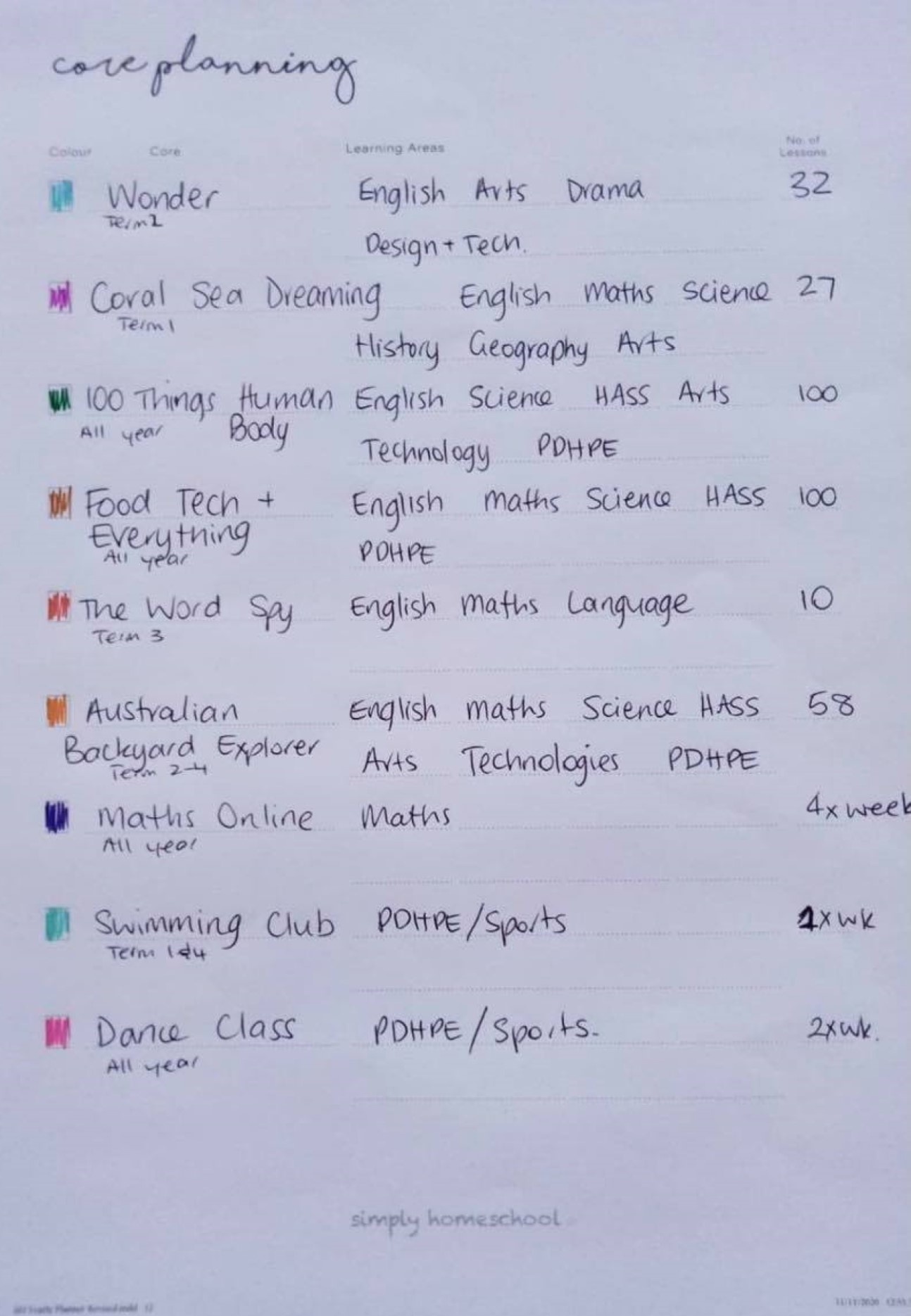
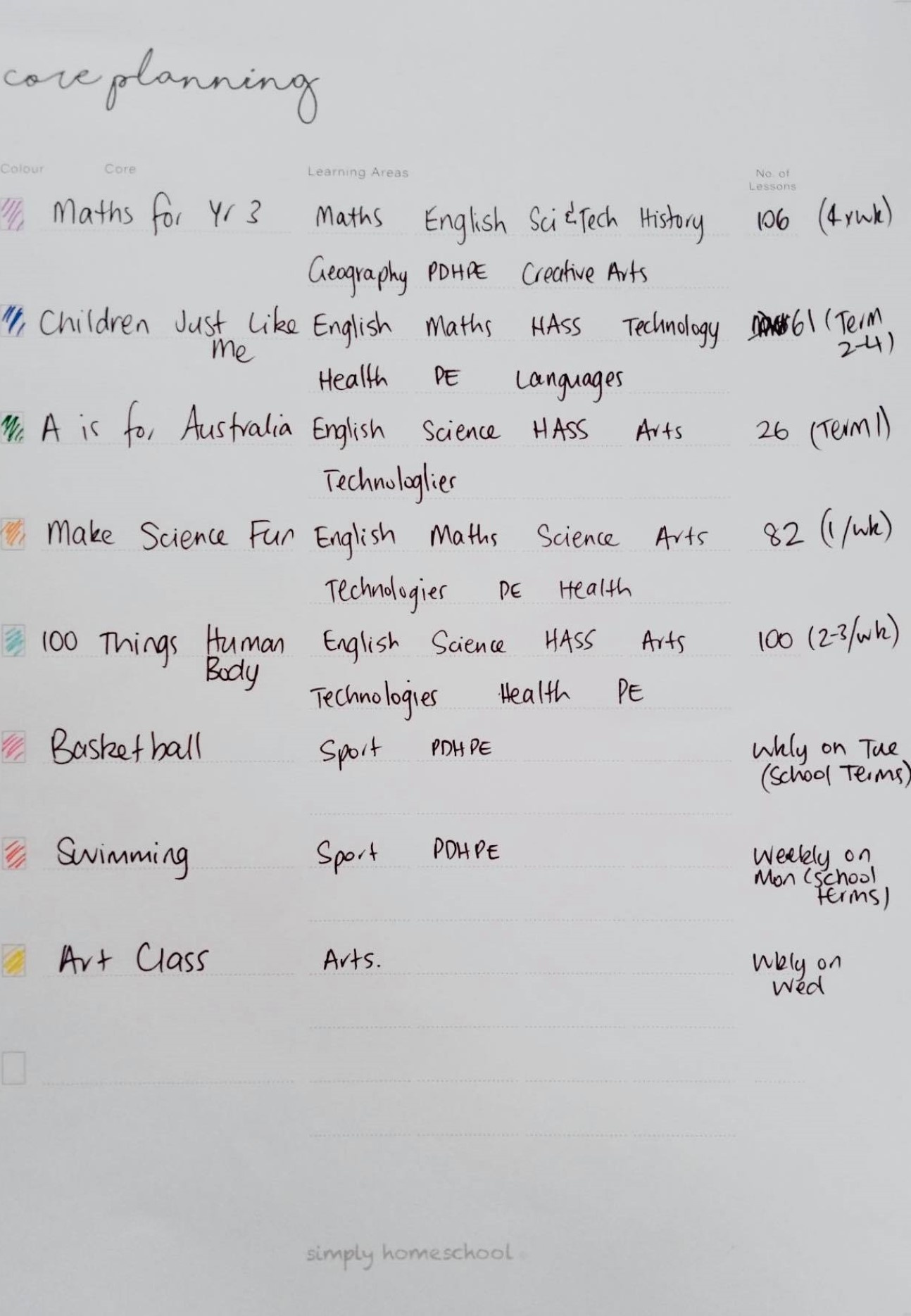
- Write the name of the Core Program, and how many lessons it has on the Core Planning page. Find the learning areas included by going to the Syllabus Links at the three lines to the right on each Core Program in your Family Learning Plan (full members only).
- Add other activities if you like – swimming lessons, sporting activities, art or music classes etc.
- Colour code each activity on your Learning Plan pages and on the key of your Big Picture plan.
Don't add too much...
Carefully consider how much you have in your plan and how that breaks into each term and week. In our homeschool day, we have 4 slots at most. Sometimes one is taken by a sporting activity. If we have a therapy appointment and have to travel then that might take all day. Once I know how many lessons I want to do in a year and how many slots there are, then it’s easy maths. Do you have enough slots for the number of lessons you want to do? Are you trying to fit in too much? Do you have gaps where you could add more?
Make it colourful
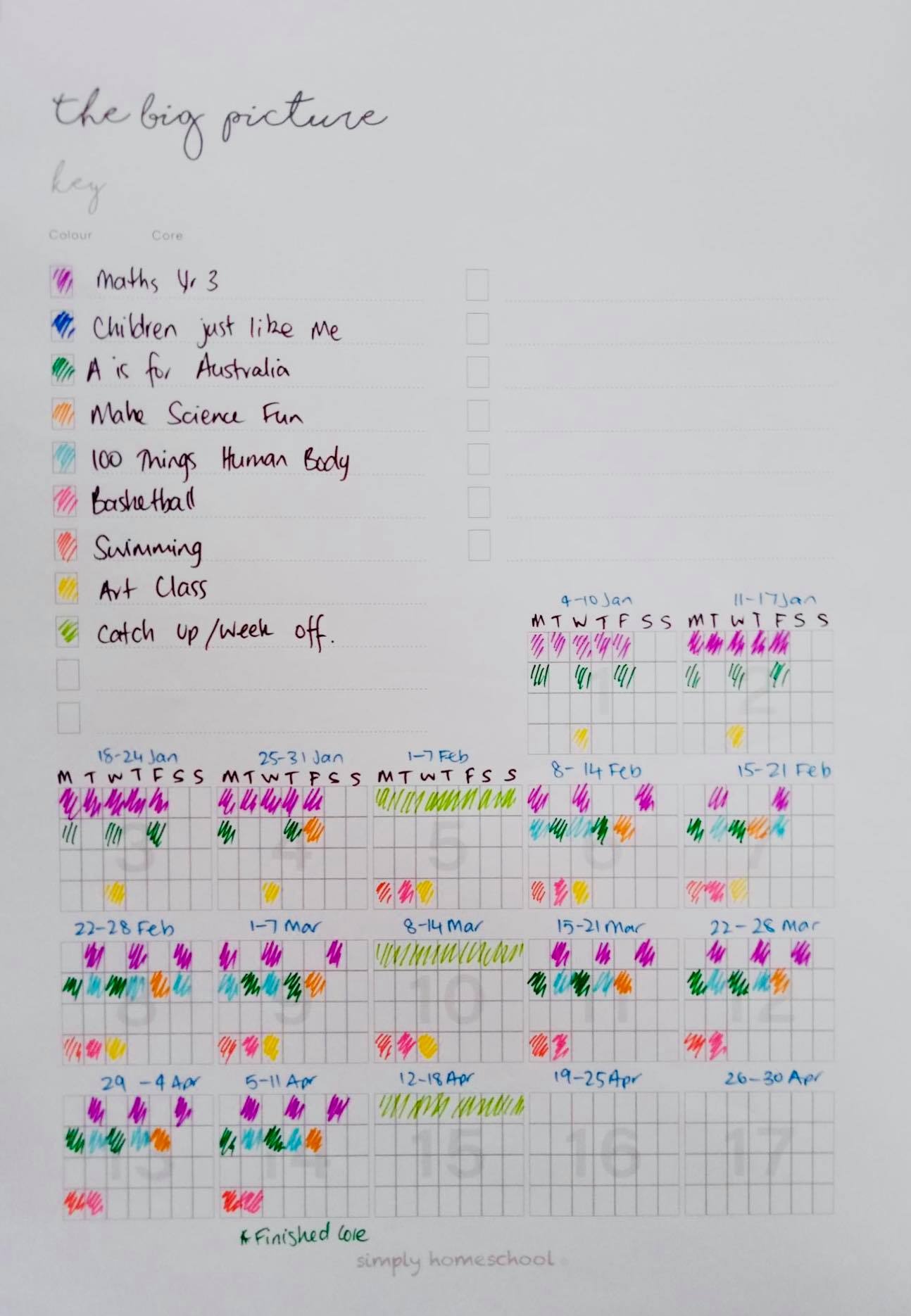
Start colouring in the boxes! Some Core Programs will take longer than others - you can find the number of lessons by going to the three lines to the right of each Core Program in your Family Learning Plan (full members only). By the time you have 3 or 4 Core Programs in your plan, you will start to see where you are having busy weeks and where things are a bit calmer. This is important because when you are in the midst of a very busy period it is good to remind yourself that you have a restful week coming up next week.
See our ideas...
We’ve made a few samples so you can see what this might actually look like below:
Example 1: One child with extra activities
Example 2: A high school student with a year long plan